Introduction
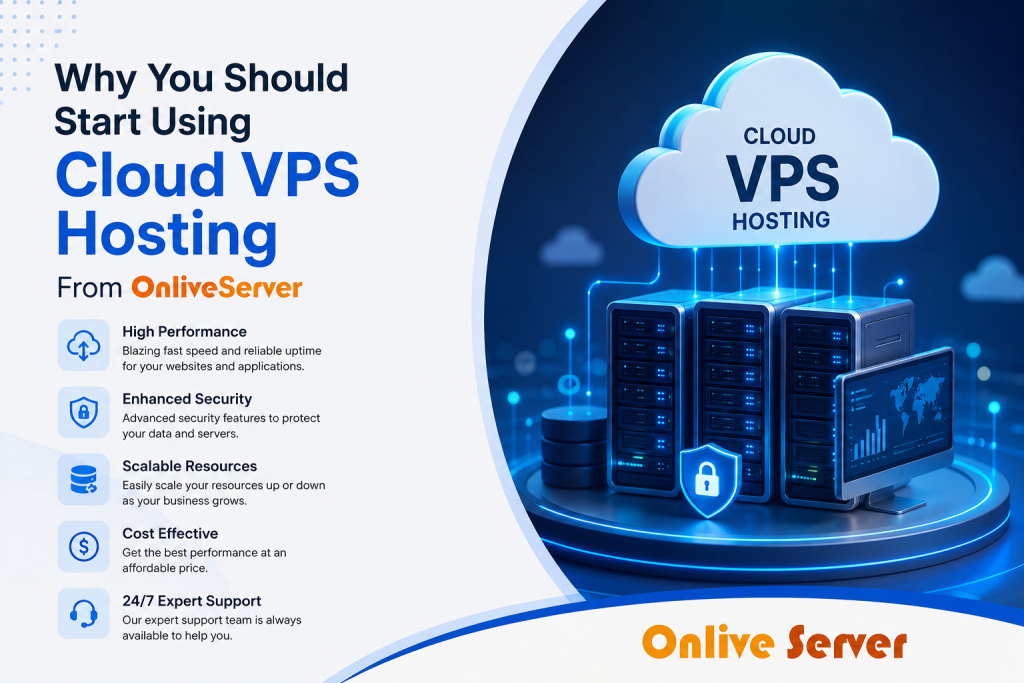
When it comes to Cloud VPS Hosting, this is more than an option but a necessity. For those organizations who are interested in getting control without being able to spend heavily on their own server, this particular method works great. This is what I have witnessed during my career experience in this field. The matter of the fact is that using Cloud VPS hosting does not only allow businesses to reduce costs but also gives them additional flexibility and reliability. Just imagine that the company will have everything it needs regarding digital assets in terms of volume. In other words, there will be no excess or shortage. And here we come to the point with our OnliveServer experience and assistance; the migration from shared hosting to cloud servers becomes possible without any problems.
Comparing Cloud VPS Hosting Options
Cloud VPS Hosting is an extensive field that has a range of solutions designed for specific uses. This understanding will enable you to make sound decisions when selecting among the available alternatives. All Cloud VPS Hosting services are not created equal, and it is important for you to know about the differences that exist to help avoid future complications. In fact, they can prevent catastrophes.
Self-Managed VPS
Choose this if your team possesses strong technical skills internally. You get to control everything.
- Gain complete command over all server settings.
- Pay only for raw computational power.
- Risk serious outages if misconfigured.
You’d think self-managed is always the cheapest. It isn’t always. For instance, the average IT professional earns over $70,000 annually. Adding that cost to server management can quickly erode any savings. Watch out for providers that offer minimal documentation, leaving you completely stranded. This won’t help if your internal IT staff lack specific server administration experience.
Managed VPS
This path is for teams who prefer to concentrate on their primary business activities.
- Access expert provider server oversight.
- Reduce daily server maintenance worries.
- Expect higher charges for included support.
Look. About 80% of small businesses consider outsourcing IT support beneficial. You’re paying for peace of mind. I assumed that managing VPS meant no effort from my side. Wrong. You still need to communicate your needs clearly. This won’t help if your operational budget is extremely tight, as management fees increase the total cost significantly.
VPS Hosting Optimization Techniques
Getting the most out of your VPS requires more than just picking a plan and hitting go. To ensure peak efficiency and swift responses, smart optimization is essential. Here’s how you can make sure your VPS performs its absolute best.
Memory Management
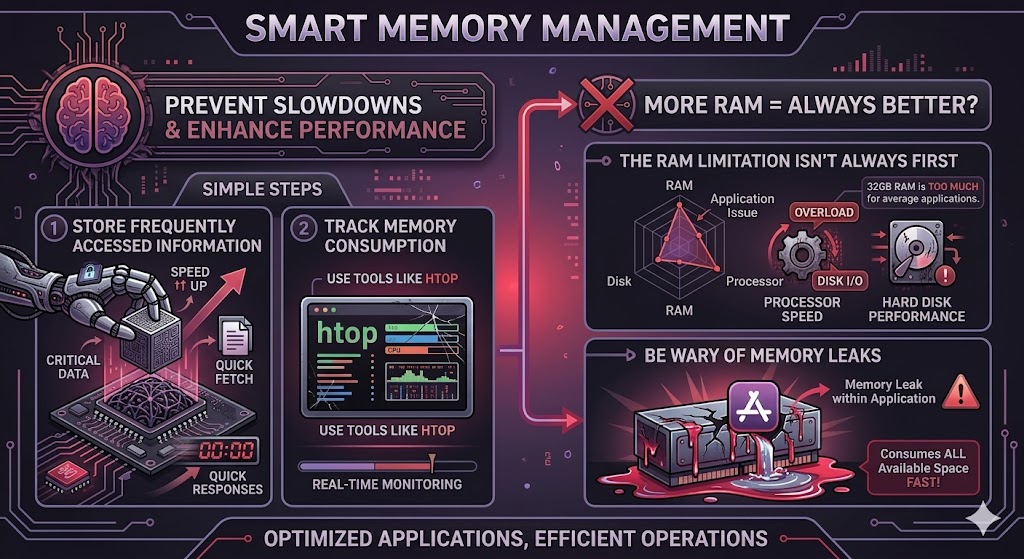
Smart memory usage helps prevent slowdowns. Follow these simple steps:
- Store frequently access information to speed responses.
- Track memory consumption with tools like htop.
It seems that having more RAM will resolve the issue, but this is not always the case. In most cases, an application might run into issues with processor speed or hard disk performance before RAM limitation is reached. It turns out that 32GB of RAM would be too much for the average application. Be wary of memory leaks within the application, since it will consume all the available space very fast.
Disk Performance
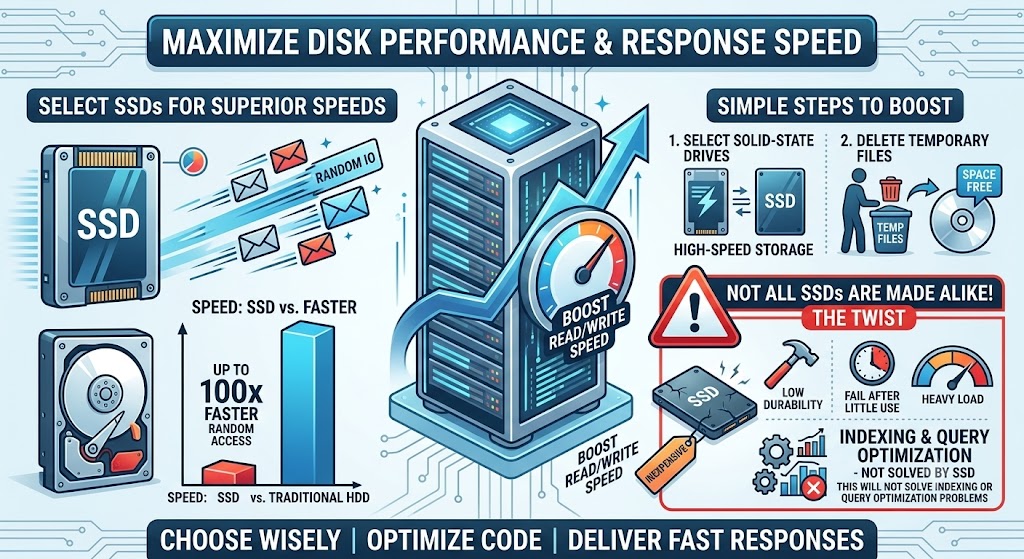
Boost the read/write speed to make your server respond faster.
- Select solid-state drives for superior speeds.
- Delete temporary files to free space.
However, one thing that is kept secret is that SSDs can be as fast as 100 times faster compared to traditional hard drives when it comes to random access. Now comes the twist SSDs are not made alike. Be careful when purchasing inexpensive SSDs that have poor durability, because they might fail after very little use under heavy load. However, this will not solve problems of indexing and query optimization.
Understanding Cloud VPS Configurations
Configurations in Cloud VPS Hosting determine how effectively your server runs. Grasping these details is incredibly important.
CPU Allocation
Consider the CPU as your server’s brain; it directly impacts overall speed.
- Choose multiple cores for heavy concurrent tasks.
- Get exclusive processing for critical applications.
As far as I am concerned, having more cores always guarantees higher performance. Not necessarily. In some cases, one fast core may perform better than several slower cores when executing a task single threaded. Take note. While most web servers would benefit from two or four cores, any gains over eight cores become increasingly marginal. Be aware of “burstable” CPU choices that seem appealing but could limit your performance during high-usage periods. It will not do you any good if your program runs single-threaded.
Network Bandwidth
Bandwidth dictates how quickly data travels to and from your server.
- Select plans with no traffic limits.
- Set up multiple network paths for reliability.
Now, the catch here is… just one 1Gbps connection can actually handle up to 125 megabytes per second of traffic. That’s a lot for many. No. For video content streaming or for sites receiving lots of visitors, even 1Gbps might not be enough. Don’t forget that you may incur extra costs if you exceed the allotted bandwidth or if there are ambiguous definitions for “unmetered” services with soft ceilings on those plans. And that’s not going to help you if your audience is spreading without using a CDN.
7 Hosting Providers Compared for 2026
It is not easy selecting an appropriate host; finding the one that perfectly fits you from all the choices might take a lot of effort. Seven best hosting providers have been selected for you for the year 2026.
Reliability Above All
This company is well known because of its dependable uptime and excellent customer support. One would assume that something like this comes with a fair price tag, but unfortunately it does not. The higher prices tend to make this solution unaffordable for small startups or small businesses.
Performance-Driven
Need speed? This one delivers. They consistently earn high marks for their lightning-fast data transfer rates. But here’s the thing: sometimes that raw power means a trade-off. Their support channels can be less responsive, which can be frustrating when you really need help.
Budget-Friendly Choice
This is usually the most economical choice with a good feature package. See here. You get what you pay for. Even though it may save you some cash, do not be surprised by tradeoffs in performance and sometimes even the responsiveness of the servers.
Other notable options include:
- Secure your data: Provider 4 excels with top-tier security protocols and data protection.
- Grow with ease: Provider 5 is perfect for startups, offering plans that adjust as your business scales.
- Expect higher costs: Provider 6 provides a solid, balanced package, but it comes with a premium price tag.
- Choose green options: Provider 7 focuses on sustainability, running their data centers with Eco-conscious practices.
In the end, you choose what matters most to your cost, quality of service, or features. The key is finding the right balance among all three. Many users find their ideal solution with providers that offer reliable service at an affordable price, ensuring high-quality support without overspending. Over 90% of customers value reliability more than speed.
Docker and VPS: Container Workloads
Look. Docker and VPS can transform your development environment. Running container workloads brings incredible flexibility and consistency to your projects. This combination is a powerful one.

Understanding Docker Basics
The containers by Docker are thin, compact, and can be scaled easily. These containers help to run applications in an isolated environment, making it perfect for testing as well as deployment. One thing that people do not know is that such isolation avoids dependency issues.

Integrating with VPS
Combining Docker with a Virtual Private Server makes the capabilities of both much more impressive. It is your VPS which offers a strong base. Then, Docker adds the dimension of fast adaptability and exactness to the mix. I thought the use of these two together would be difficult. Not really.
Key Benefits
- Maintain application integrity: Ensure your software behaves identically across all stages, from dev to production.
- Optimize server usage: Reduce wasted resources thanks to Docker’s minimal design and shared kernel.
Having the appropriate combination will save you a lot of time and money. Beware of service providers who charge extra fees for providing support for Docker, especially if your staff lacks experience with containers. Choosing a VPS service that offers easy Docker integration can help you achieve a complete setup in less than 15 minutes.
Node.js Performance on VPS
Wait. Node.js can supercharge web applications, but performance hinges on the hosting environment. A great app can feel sluggish on the wrong server.
VPS: The Perfect Match?
Node.js works wonders when you have an environment that grows along with it. With a VPS, you get the flexibility needed to allocate resources dynamically, guaranteeing that your app will be able to cope with any amount of traffic. It appears that this feature is crucial for everything to work well.
Configuration for Peak Performance
For starters, increase the number of concurrent connections the server can handle. Then there is CPU allocation, especially for processes which consume a lot of CPU. You assume that by using default, everything will be fine. Not true. Be sure to check your default settings as this is another performance buster.
- Scale up resources: Add more CPU, RAM, or storage to an existing server as demand increases.
- Spread the workload: Distribute incoming traffic across several smaller server instances.
In addition to optimizing environments, caching tools such as Redis can significantly reduce user response times. Successful cases have shown projects improving response times by up to 30% through proper cache implementation. However, this approach is less effective when database requests take an unusually long time to process. VPS hosting services optimized for Node.js provide the best performance for such setups.
Frequently Asked Questions

Conclusion
Cloud VPS Hosting provides the flexibility organizations need for greater control over their servers and growth opportunities. The right cloud hosting provider ensures that services are easy to manage, efficient, and tailored to different business needs. Whether you are a large organization or a small startup, choosing a reliable cloud VPS hosting solution guarantees that your online infrastructure remains secure, stable, and highly available always.